Open registration — free to get started

Stop juggling tools.
Run your tutoring in one place.

Bookings, session notes, chat, exercises, courses, and payments — everything a private tutor does lives in a different app. MyTutorDesk brings it together.

No payment. No credit card. Free to start.
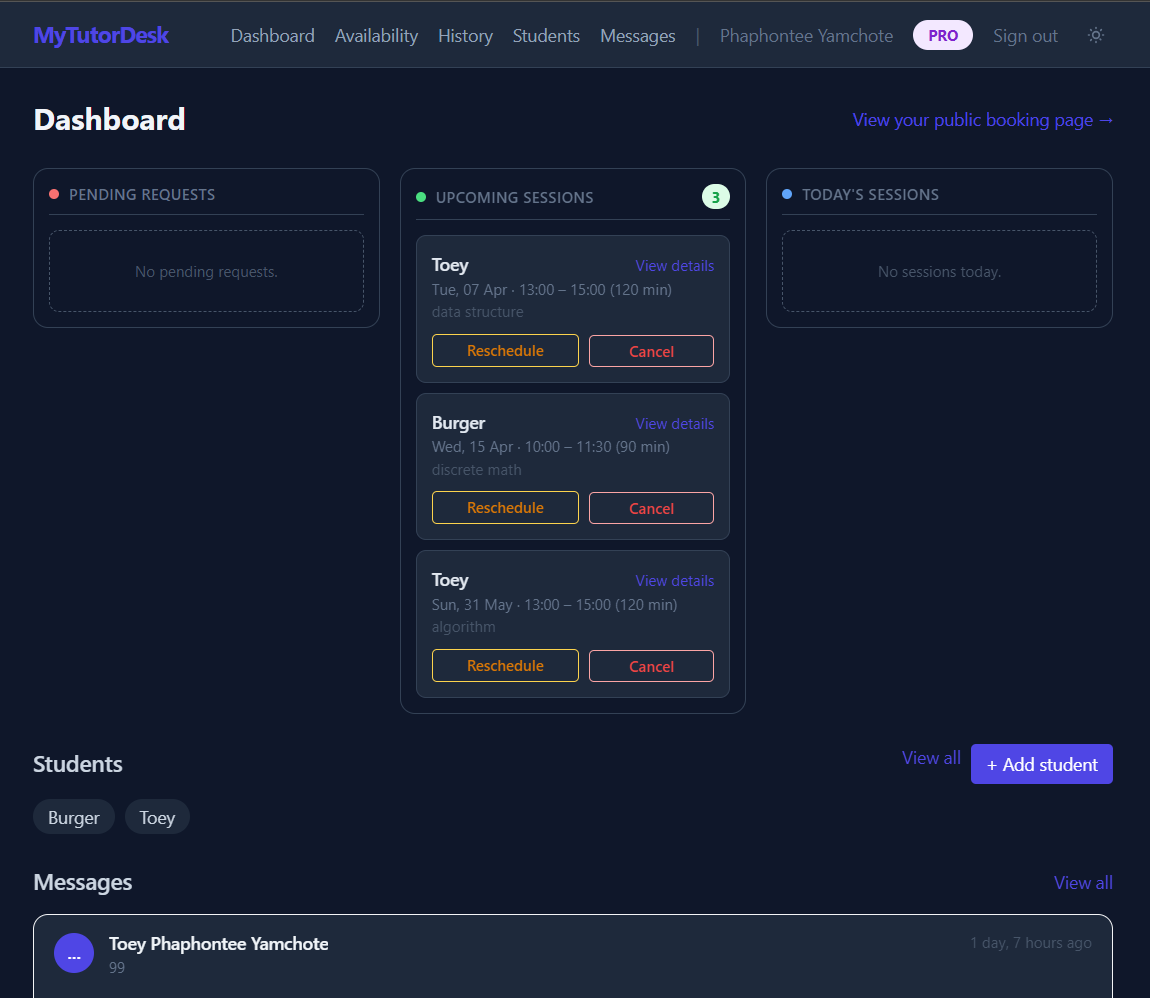
MyTutorDesk dashboard showing today's schedule and action inbox

Tutoring work gets scattered fast.

Every part of the job ends up in a different place. You spend more time managing tools than managing students.

Chat app

Booking requests, student questions, and personal messages all arrive in the same inbox. Work and life don’t separate.

Calendar app

Availability lives in Google Calendar, updated manually after every reschedule, cancellation, or new booking.

Notes app

Session notes in Notion or a notebook, disconnected from the student record and hard to find weeks later.

Bank transfers

Payments tracked in a spreadsheet or by memory. Chasing who hasn’t paid is another job on top of teaching.

Homework & files

Homework shared over chat, course materials in Google Drive, submissions buried in threads. No record of what was assigned or done.

That’s 5+ tools for one student,
before the session even starts.

What MyTutorDesk does instead

One workspace.
From booking to follow-up.

Every part of the tutor workflow — schedule, student records, session notes, chat, exercises, courses, payments — connected together and visible in one place.

01 — Schedule

Run your schedule without constant back-and-forth

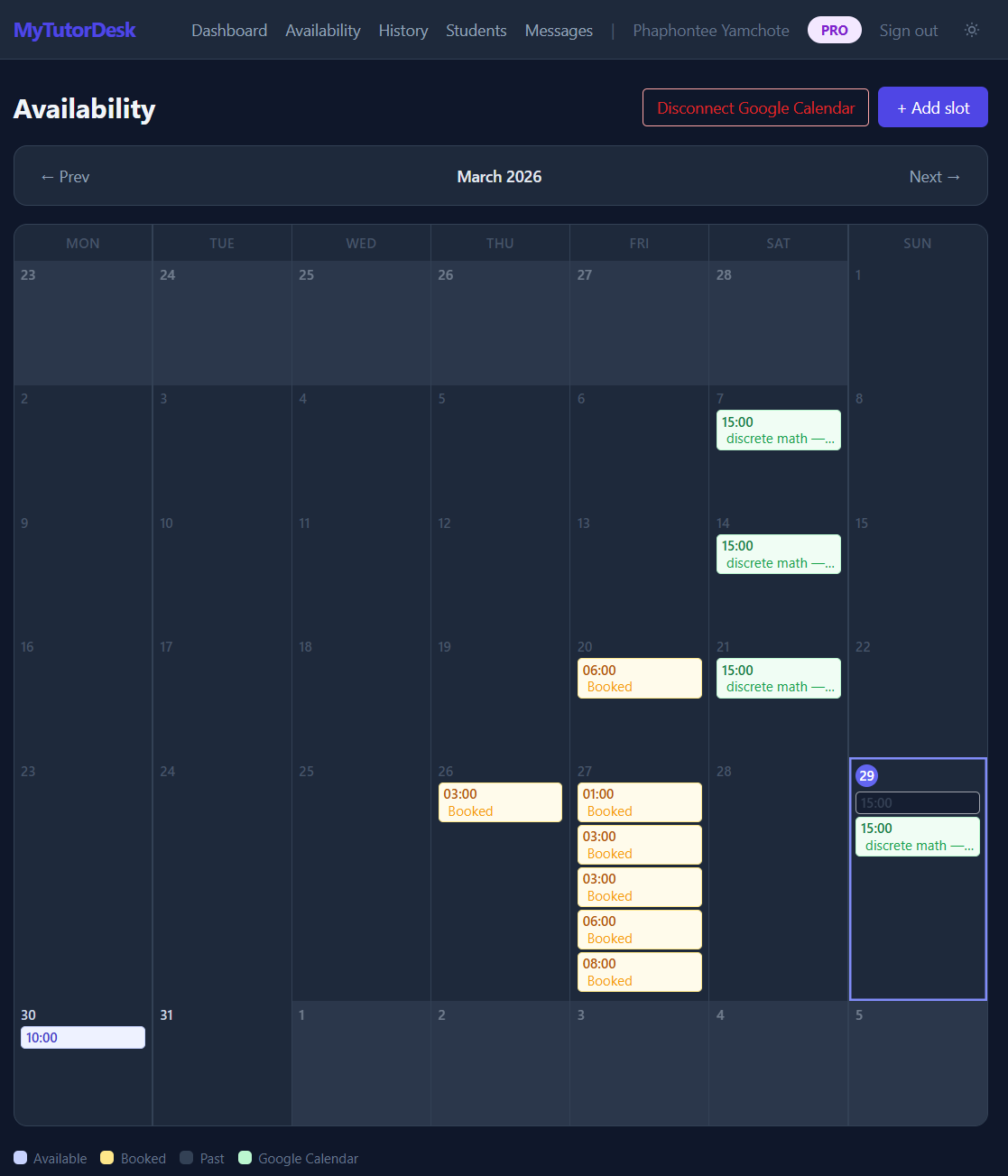
Set your available slots once — or create recurring schedules that repeat weekly. Students request from what you’ve published. Approve, decline, or let the system auto-approve when the session is close. Google Calendar sync keeps everything in one view.

  • Publish availability & recurring schedules — students request, you approve
  • Email confirmations & auto-reminders before and after every session
  • Google Calendar sync, Drive file uploads & recurring bookings
Availability calendar showing color-coded teaching slots
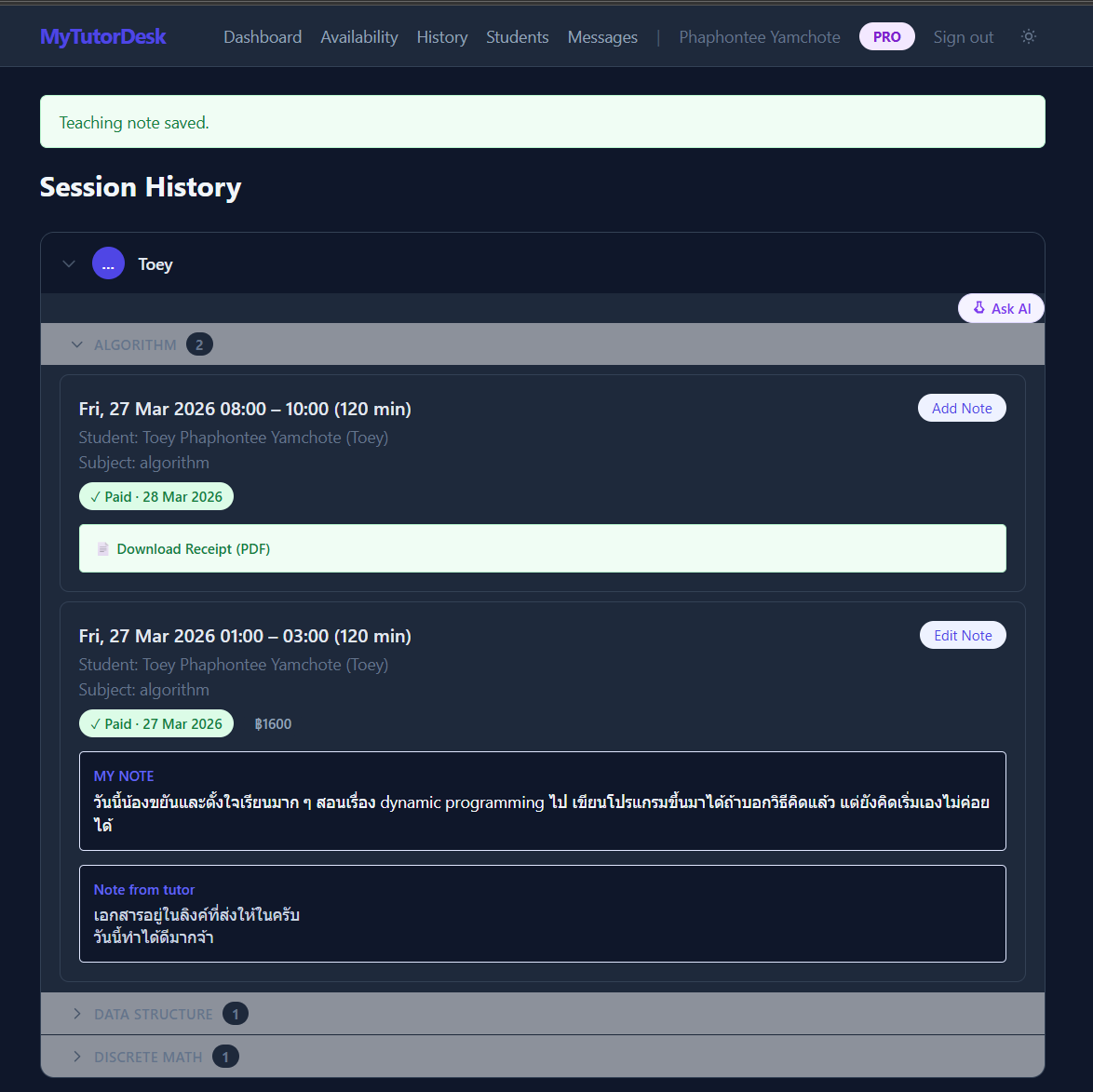
Session history showing teaching notes and payment status per student

02 — Students

Keep student progress and session notes in one place

Every session has notes — private notes for you and separate notes visible to the student. Organize students with tags and groups. See the full picture for any student: sessions, notes, chat, exercises, payments, and receipts in a single view.

  • Dual teaching notes — private for you, visible for the student
  • Student tags & groups — organize by subject, level, or class
  • Payment tracking, fee per session & downloadable PDF receipts

03 — Chat, Exercises & Courses

Teach beyond the session. Everything stays connected.

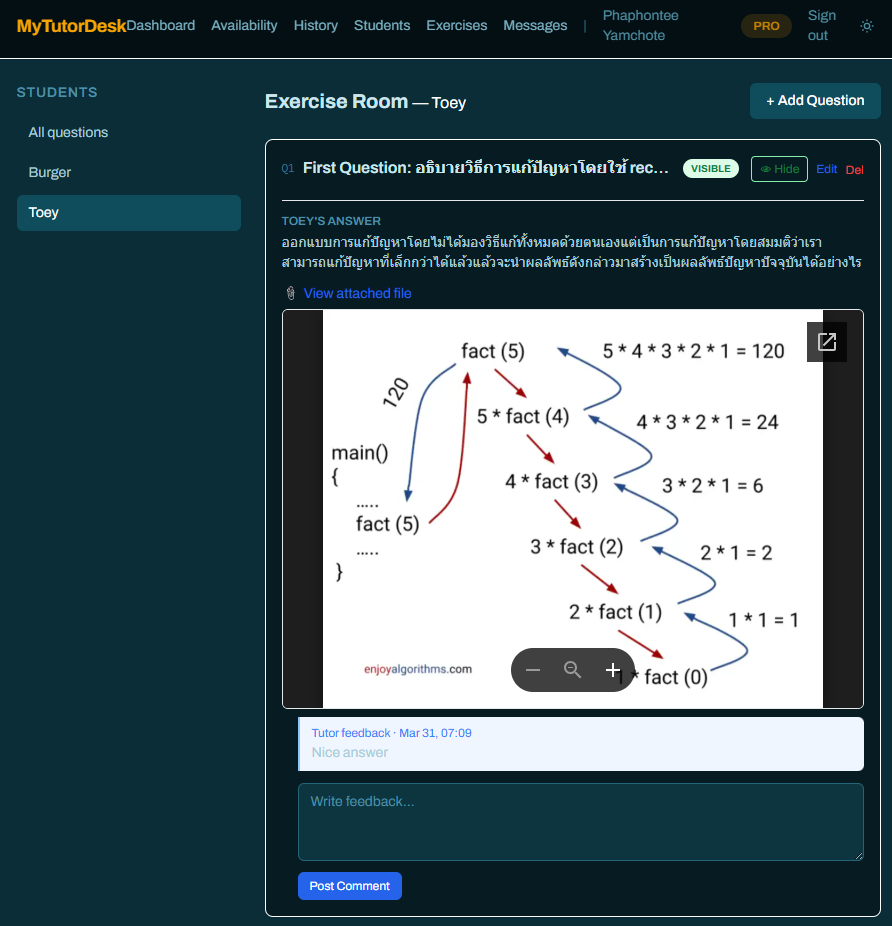
Chat with students directly — DM or group rooms with canvas drawing support. Post exercises with text, drawing, file upload, or Python code answers. Build structured courses with lessons, LaTeX content, and progress tracking.

  • In-platform chat — DM & group rooms with drawing canvas
  • Exercise board: 4 answer modes — text, canvas, file upload, Python code
  • Course builder: lessons with LaTeX, exercises, enrollment & progress tracking
Exercise board showing text, drawing, and Python code answer modes
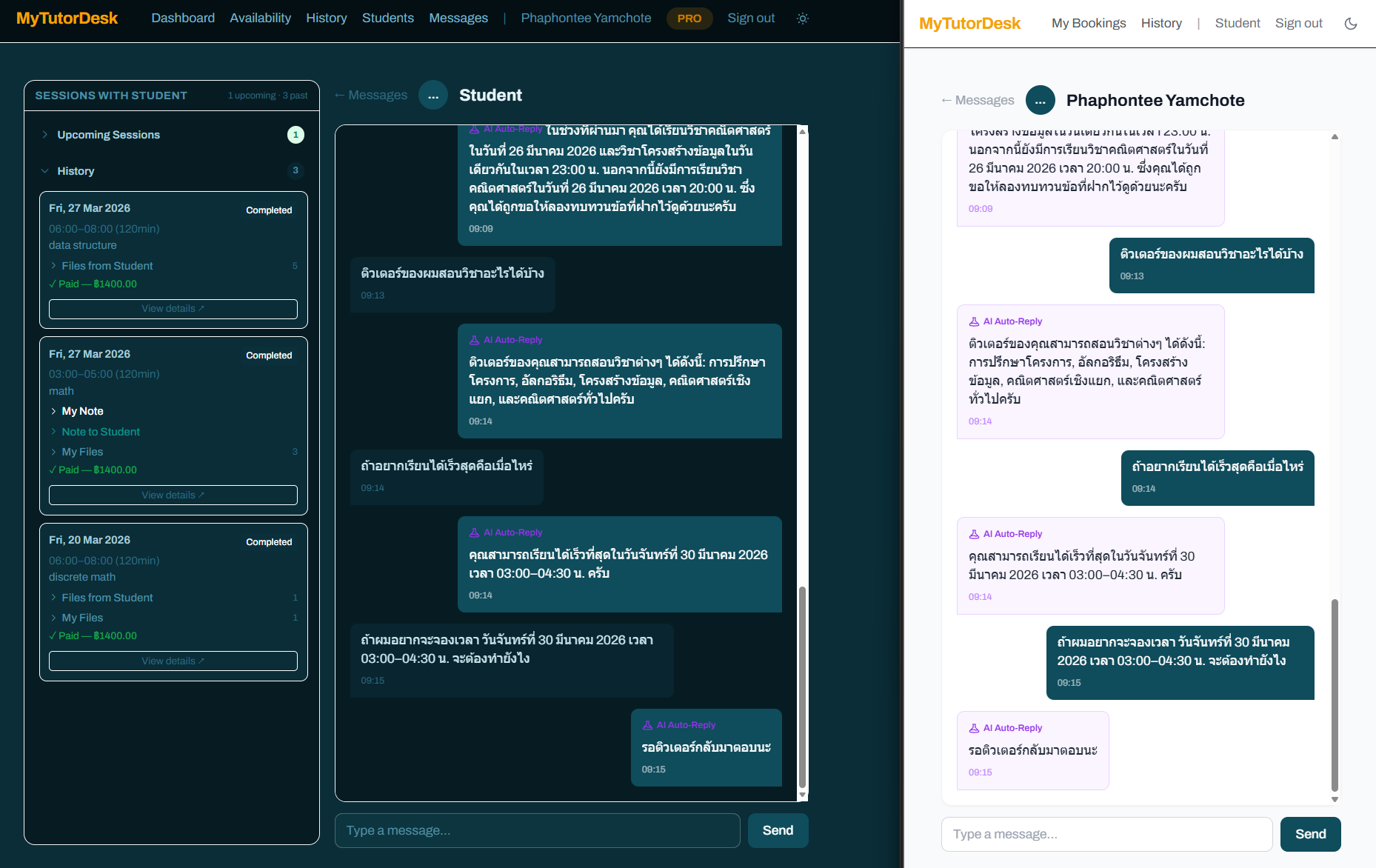
AI auto-reply, Socratic exercise tutor, and session assistant in action

04 — AI features

Premium

AI that supports your workflow — not replaces it

Three AI assistants, built on your actual teaching data.

Chat auto-reply answers students from your notes, subjects, and schedule. The Socratic exercise tutor guides students through problems with hints instead of answers. The session assistant analyzes your teaching history and uploaded documents. Human in the loop, always.

  • Chat auto-reply — answers from your notes & availability
  • Socratic exercise tutor — guides students with hints, not answers
  • Session assistant — analyzes history, notes & uploaded documents
Open to everyone

Free to start — request Plus when you’re ready

Anyone can sign up and start managing their tutoring for free. When you need more, upgrade to Plus for unlimited features or Pro for AI-powered tools — both free during our pilot.

  • Free: up to 2 students, 1 slot/day, 10 bookings/month
  • Plus: unlimited everything + Calendar, Drive, Chat, Receipts & Courses
  • Pro: AI chat auto-reply, Socratic exercise tutor & session assistant
  • Bilingual (EN/TH) — built for independent tutors in Thailand
Create your free account

No payment. No credit card.

Not sure yet? Try the demo first.

No sign-up required. Explore the full platform with a demo account.